New The SREYUN website is live: five in-house products and reference pricing Learn more →
netsa

netsa

Open-source network security posture awareness and attack surface analysis

One binary turns web, firewall / IDS, traffic, host and DNS logs into a security posture you can trace, act on and that corrects itself. No Elasticsearch, Kafka or database needed; works offline on private networks and runs in 5 minutes.

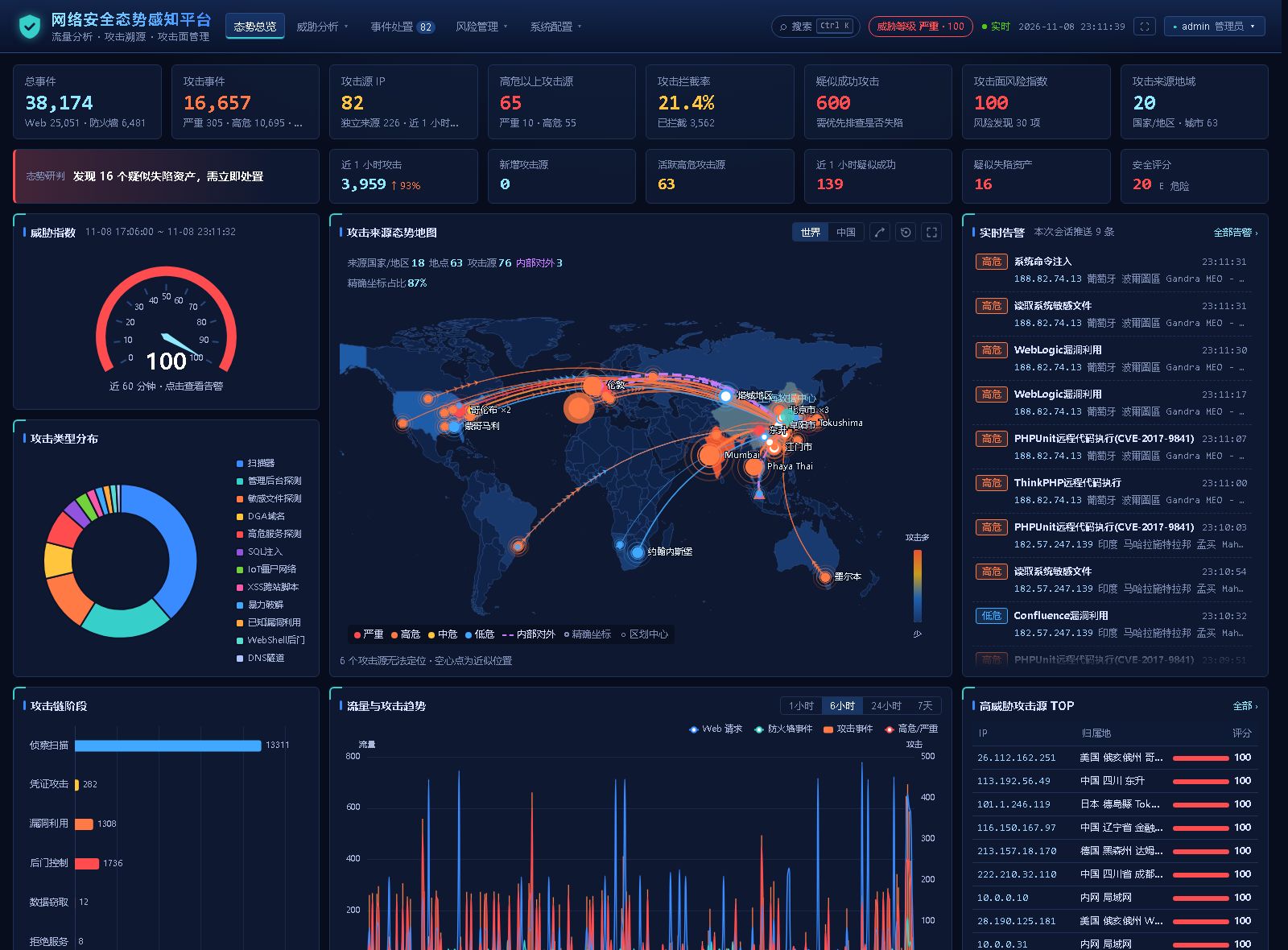
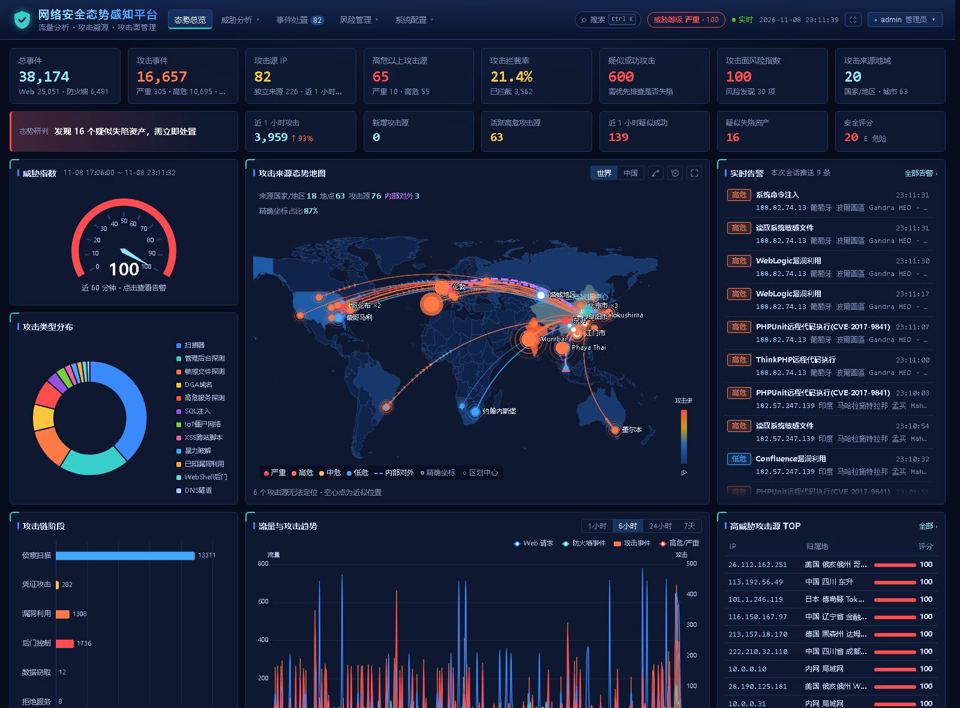
netsa screenshot

Key features

8 key capabilities of netsa at a glance

01

50+ log formats detected automatically

Web, WAF, firewall (Huawei, H3C, Sangfor and others), IDS, host authentication, DNS and NetFlow / sFlow logs work out of the box, with format and time zone detected per sender

02

Attack detection

87 signature rules plus libinjection syntax analysis cover SQL injection, XSS, command execution, Log4Shell, webshells and more, with multi-round decoding against evasion

03

Signatures for Chinese software

261 vulnerability signatures for Chinese OA systems and middleware across 42 products such as Seeyon, Weaver, Yonyou, Tongda, FineReport, RuoYi and Nacos, with CVE / CNVD references

04

Evidence review

Response and session evidence separate blocked, failed, not blocked and likely successful attacks, ruling out "false successes" such as fallback and generic error pages; threat levels are decided in one place

05

Tracing and correlation

Finds the real IP behind CDNs and proxies, spots forged XFF headers, groups attackers by tool fingerprints, OAST markers and TLS fingerprints, and maps asset attack chains to ATT&CK

06

Posture wall

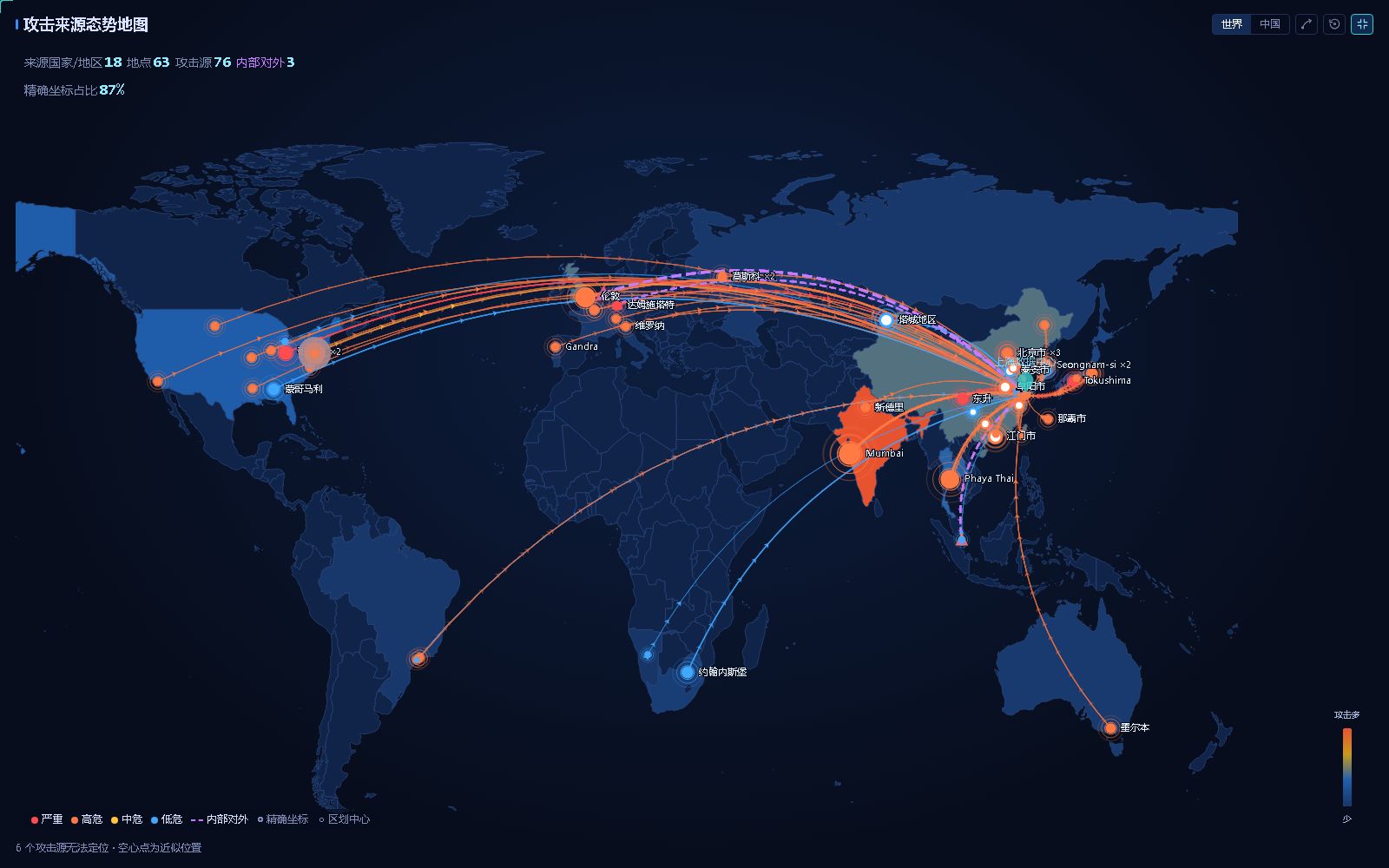
World and China attack maps with inbound and outbound lines, full screen for big displays; Ctrl+K search jumps to sources, incidents and attack chains

07

Self-learning and self-correction

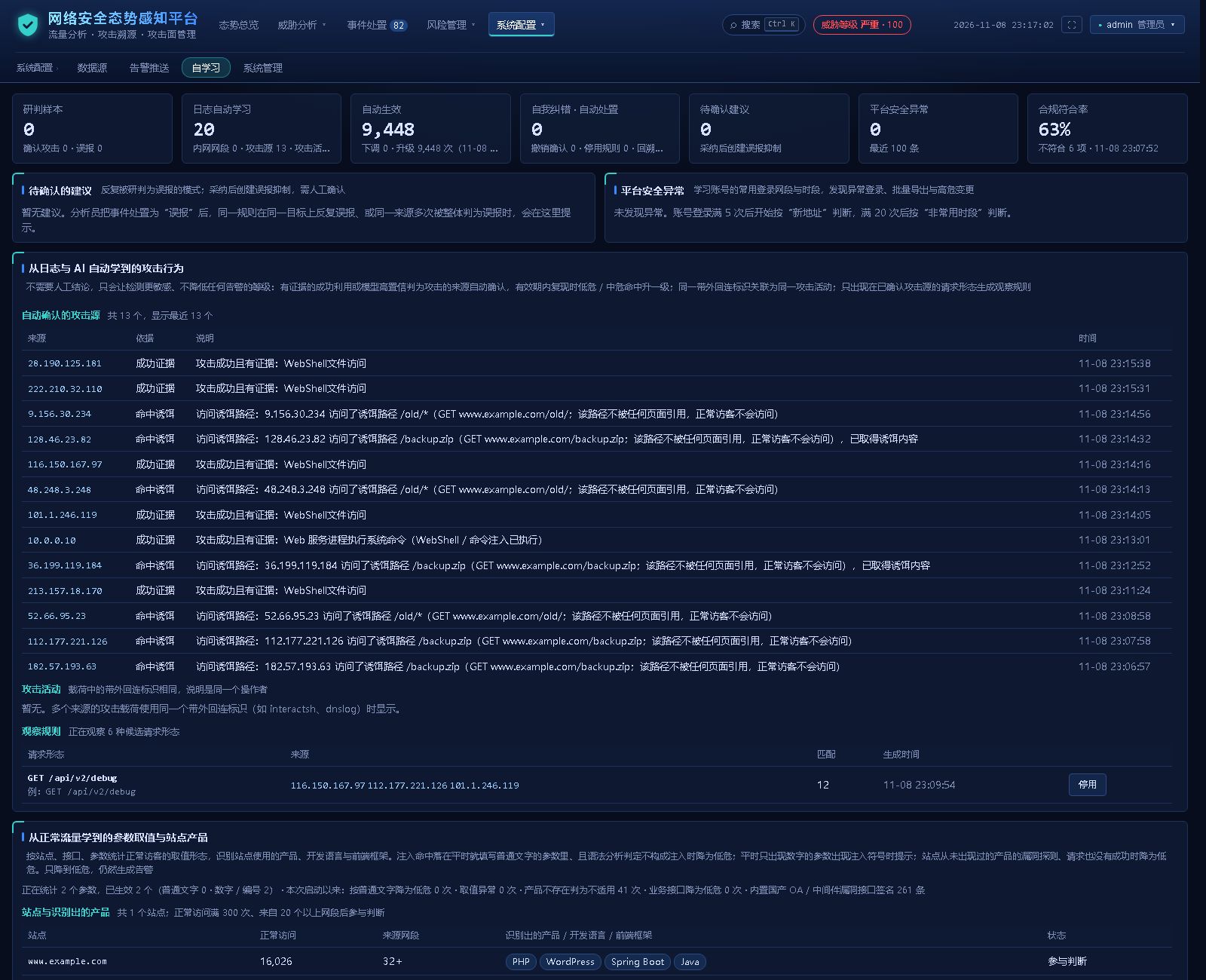
Learns from analyst decisions and objective evidence, and automatically reverts and fixes what it learned wrongly; AI triage supports OpenAI-compatible and Anthropic APIs and tracks model agreement

08

Security operations loop

Incident grouping with response deadlines, false-positive suppression, registered authorized scans, DingTalk / WeCom / Feishu notifications, block list export, hash-chained raw log retention and an MLPS 2.0 self-check

What it is

netsa does not sit in your traffic path; it reads the logs of your WAF, nginx, firewalls, hosts and DNS to work out which attacks were blocked, which reached the backend, which actually succeeded, and what the attacker did next. A single binary or one container with maps and geolocation built in, so teams without a dedicated SOC can install it and understand what they see.

50+log formats detected automatically
87 + libinjectionsignature rules + syntax analysis
261signatures for Chinese OA / middleware
~460k/send-to-end throughput on one machine (dev box)
0external dependencies

Screenshots

Posture overview: inbound and outbound attack map, live alerts and threat index
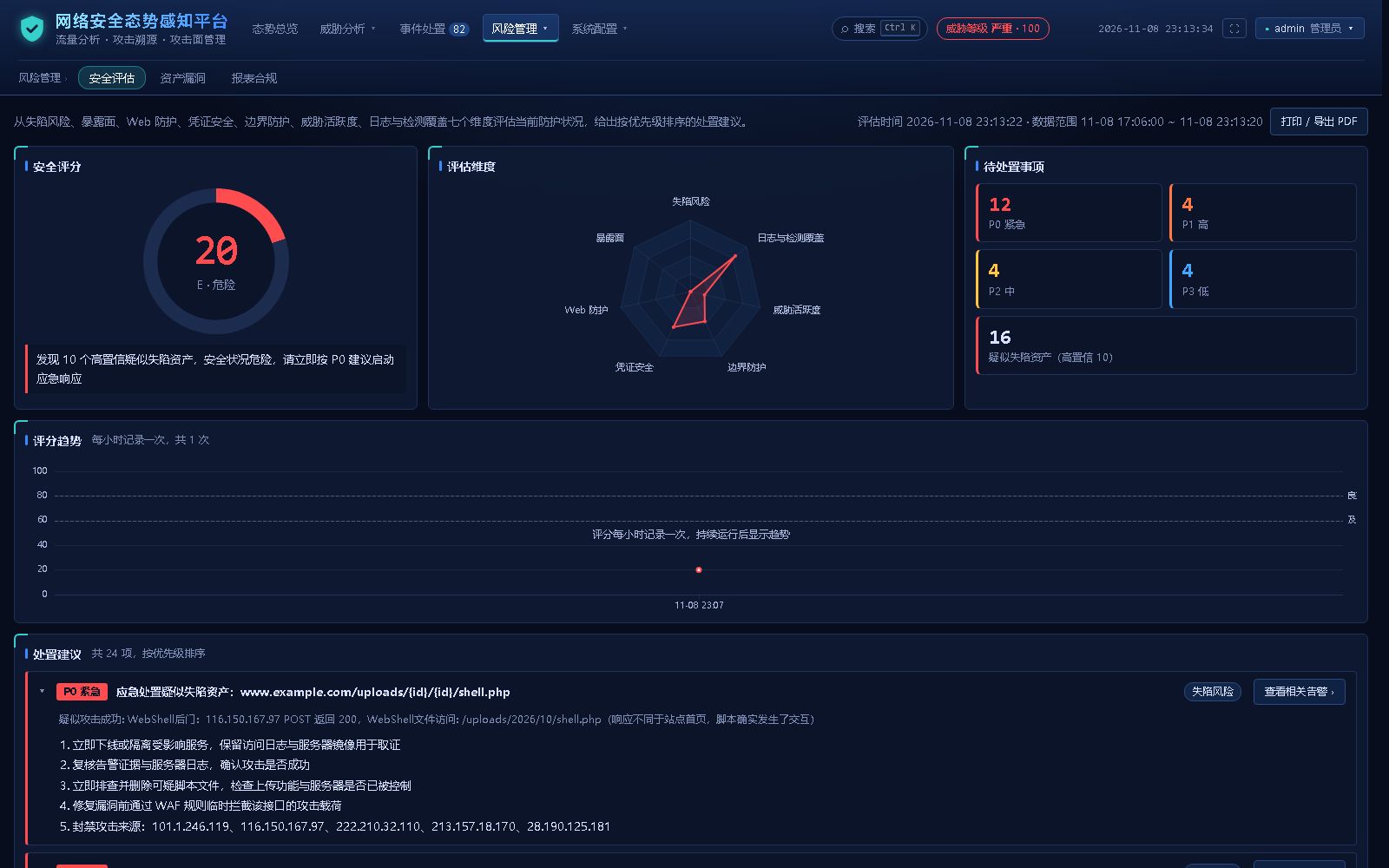
Security assessment: seven scored dimensions, an A to E rating and recommendations
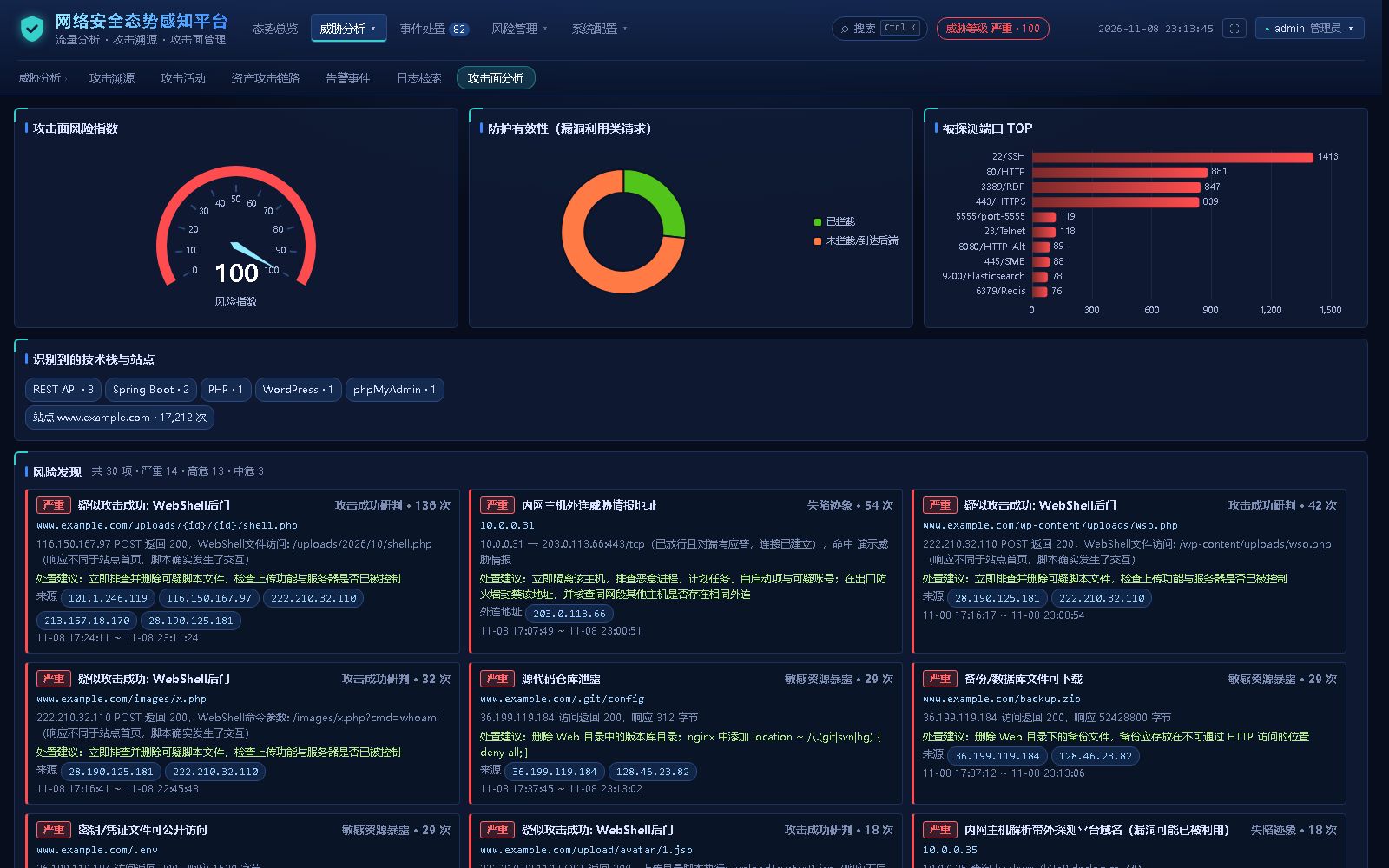
Attack surface: exposed services, sensitive information and admin interfaces
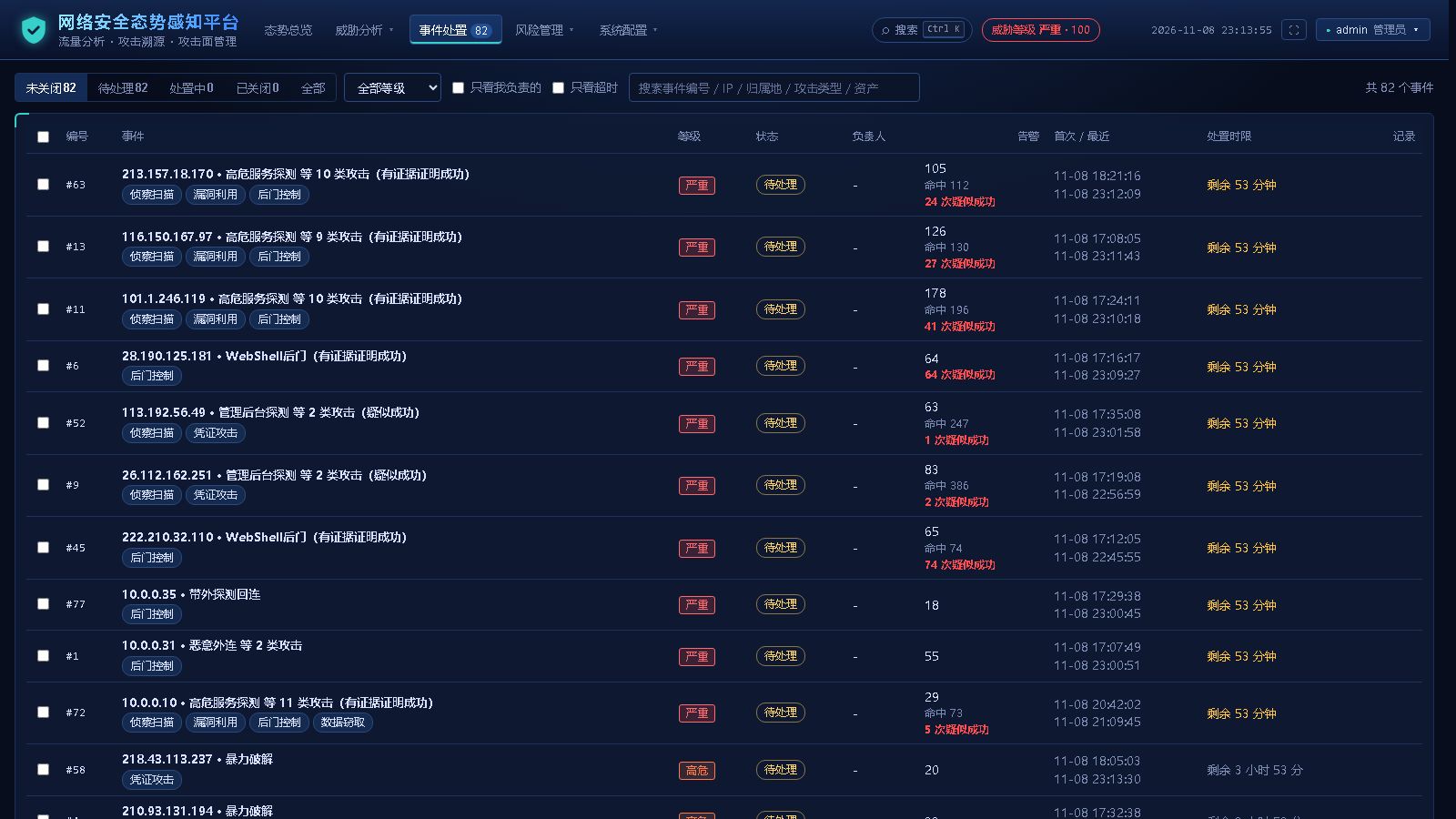
Incident response: alerts grouped into incidents with owners and deadlines
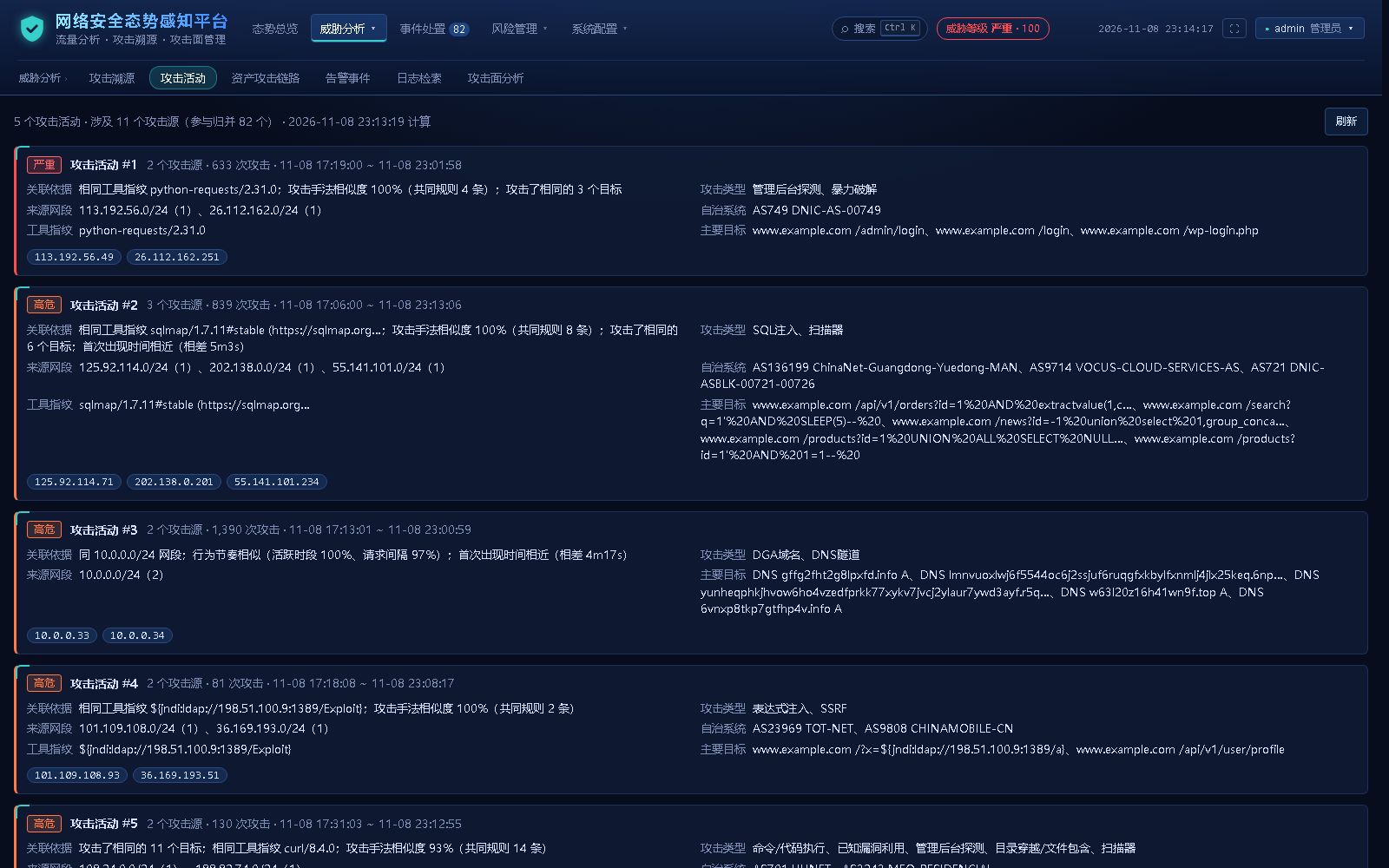
Campaigns: attackers from the same source grouped together
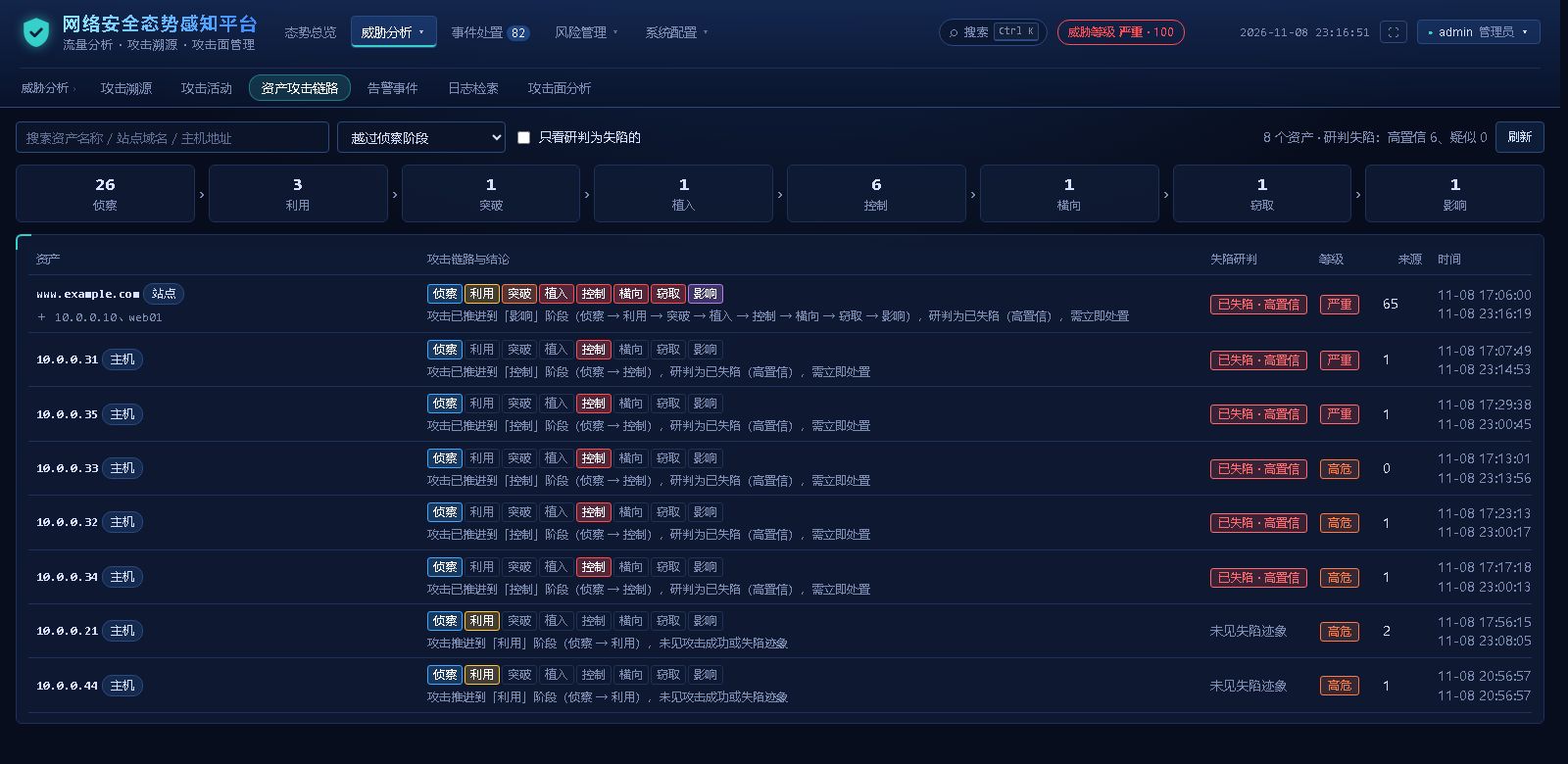
Asset attack chains: timeline from reconnaissance to control and lateral movement
Full-screen attack map: external attacks and internal outbound connections
Self-learning and self-correction: accuracy calibration of rules, targets and intelligence sources

The screenshots show demo data from netsa's built-in simulator; IPs and sites are simulated.

Compared with common in-house setups

Log platform + hand-written rulesHost security platform (multi-component)netsa
DeploymentSearch cluster + collectors + dashboards, many components to runConsole + index + dashboards + an agent on every hostA single binary / one container
Log onboardingWrite a parser for every formatMainly host logs50+ formats detected automatically
Alert qualityEvery rule hit is an alertEvery rule hit is an alertEvidence review rules out "false successes"
Chinese softwareWrite it yourselfWrite it yourself261 signatures for Chinese OA / middleware
Gets more accuratePeople maintain allow listsPeople maintain allow listsSelf-learning and self-correction loop
Offline on private networksDepends on the componentsDepends on the componentsFully offline

Use cases

SMEs and public organizations

No dedicated SOC; you need a posture wall and a response list you can understand right after installing

MLPS and compliance

Raw log retention, tamper-proof hash chains, audit, weekly and monthly reports and an MLPS 2.0 self-check

Data centers, cloud workloads and public websites

Find the attacks that really reached a service and really succeeded among lots of background scanning

Security and blue teams

Attack chains, ATT&CK mapping, same-source correlation and decoys for fast triage and tracing

Deployment

Runs with Docker / Docker Compose (amd64, arm64), as a plain binary, or from an offline image bundle for private networks. Try the demo with its built-in attack log simulator in one command:

git clone https://github.com/sreyun/netsa.git && cd netsa
docker compose -f docker-compose.demo.yml up -d --build
# open http://localhost:8080

For production run docker compose pull && docker compose up -d; by default it reads /var/log/nginx and /var/log on the host, and network devices send syslog to port 5514 (UDP / TCP). You can also analyze existing logs without deploying: netsa analyze access.log -o report.json.

FAQ

Do my logs leave my network? No. All analysis happens locally; online tracing and AI triage are optional, it runs fully offline without them, and data can be masked before it is sent to an external model.

How does it relate to a WAF? They complement each other. netsa reads WAF, nginx and firewall logs to answer whether an attack succeeded and what the attacker did next.

Open-source license

netsa is released under the Apache License 2.0 and can be used commercially, modified and redistributed freely. For commercial services such as rule and intelligence subscriptions, deployment and MLPS assessment support, see pricing.

Need commercial support or a private deployment of netsa?

We offer demos, deployment, vendor technical support and custom development to get you running faster.