New Three new products: fordway trading ERP, UEPS cloud rendering and WPECS delivery and operations View products →
UEPS

UEPS

Unreal Engine Pixel Streaming cloud rendering platform with a single public TCP port

One program handles signaling, instance scheduling, the web console and the TURN relay, and serves Unreal Engine Pixel Streaming through a single nginx TCP port: no UDP port mapping at all, and no configuration changes for LAN, cross-network, router port-forwarding or domain access. Works with UE 4.27, UE 5 Pixel Streaming and UE 5.5 Pixel Streaming 2.

UEPS screenshot

Key features

8 key capabilities of UEPS at a glance

01

No UDP mapping

TURN over TCP/TLS shares one nginx port with the web pages and viewer signaling; the same port serves both http:// and https://, and it still works behind another reverse proxy (router, OpenResty, CDN)

02

On-demand scheduling

Exclusive (one viewer per instance) or shared (many viewers), pre-warming (also by time of day), idle reclaim, queueing, automatic retry on another GPU or machine, and draining; placement by free GPU memory and utilization, with manually defined GPUs supported

03

VIP and fresh instances

VIP access links jump the queue and can take over a slot when full; each viewer can get a brand-new instance that closes afterwards, so no scene state or sign-in is left behind

04

One-click render machines

A graphical installer for Windows 10/11 (runs as a service at boot; modify, upgrade, uninstall or deploy silently in bulk) and a one-line command on Linux

05

Takes over after restarts

After a platform or agent restart, UE processes still running are taken over without relaunching or leaving orphans; zombie UE reconnects are refused; heartbeats and a supervised TURN process

06

Secure by default

Separate viewer and admin ports, with the console, UE and agents on the internal network only; scrypt passwords, two-factor sign-in, session revocation, lockout, CSRF protection, API tokens, single sign-on, access links, IP allow-lists, rate limits and audit

07

Visual operations

Overview, programs and access (copy play URLs and embed code), instances, render machines and GPUs, viewer sessions and quality (CSV export), alerts, Prometheus metrics, backup and restore, mobile-friendly

08

Performance and delivery

1,000 concurrent viewers reach stream negotiation at about 300 ms p99 with about 120 MB of platform memory; single-file executables for Windows and Linux (no Node.js needed), docker-compose and amd64 / arm64 images

What it is

Unreal Engine Pixel Streaming puts digital twins, campus dashboards and virtual showrooms straight into the browser, but teams always get stuck on the network when serving it for real: WebRTC media uses UDP by default, customer sites and public networks need a large range of ports mapped, and behind a corporate firewall or reverse proxy the page loads but the video never appears. UEPS packs signaling, instance scheduling, the console and the TURN relay into one program and serves everything through a single TCP port on nginx, with no UDP port mapping on the public side.

1public TCP port
0UDP ports to map
~300 ms p99for 1,000 concurrent viewers to negotiate
~120 MBplatform memory at 1,000 viewers
UE 4.27 / 5.xPixel Streaming 1 and 2

Screenshots

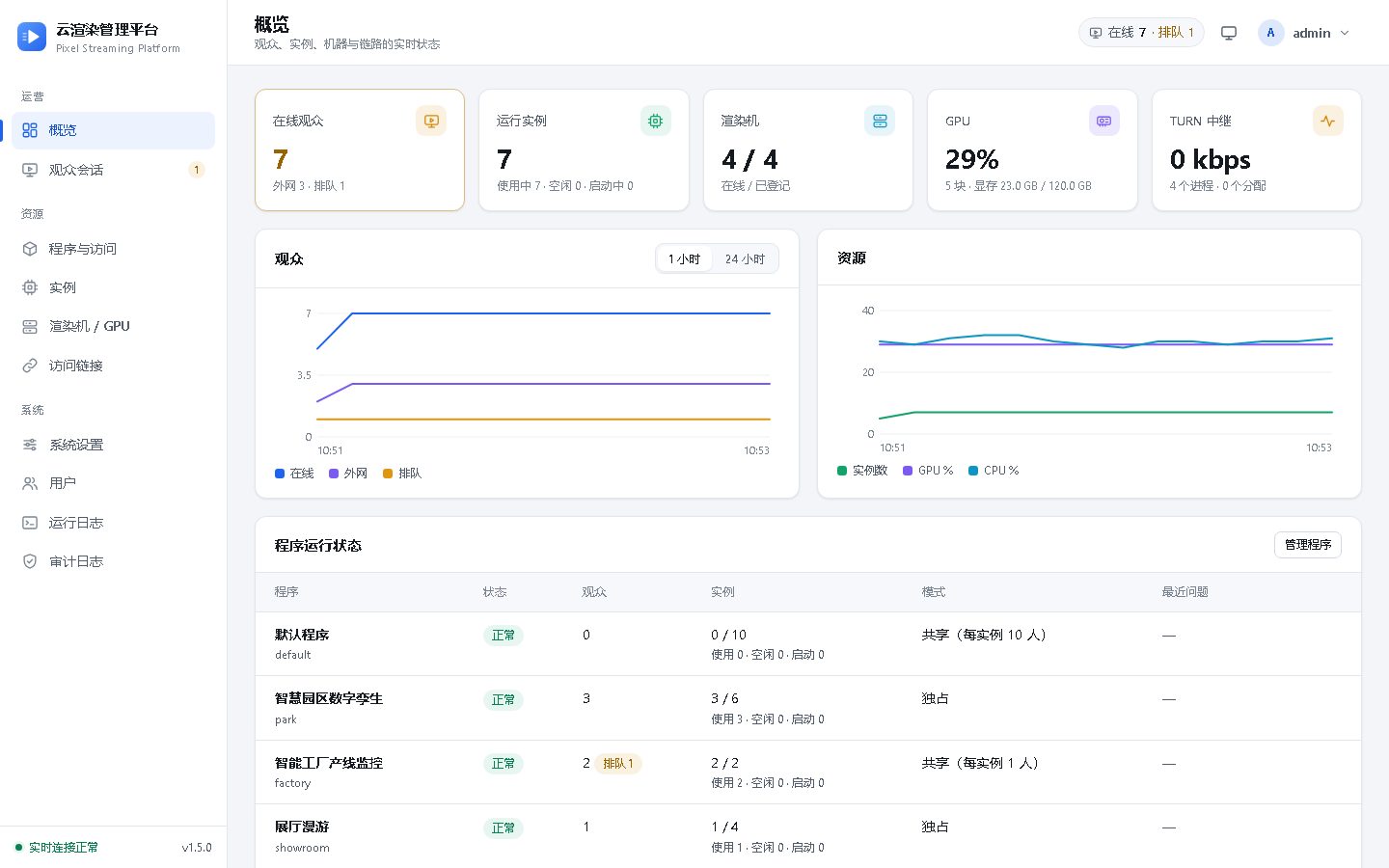
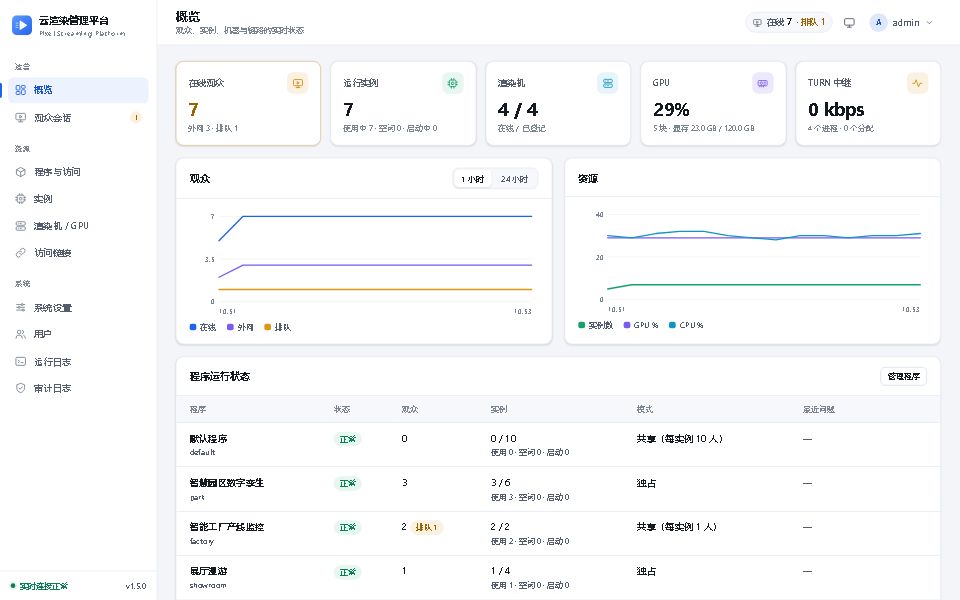
Overview: viewers online, running instances, render machines, GPUs, the TURN relay and the status of each program
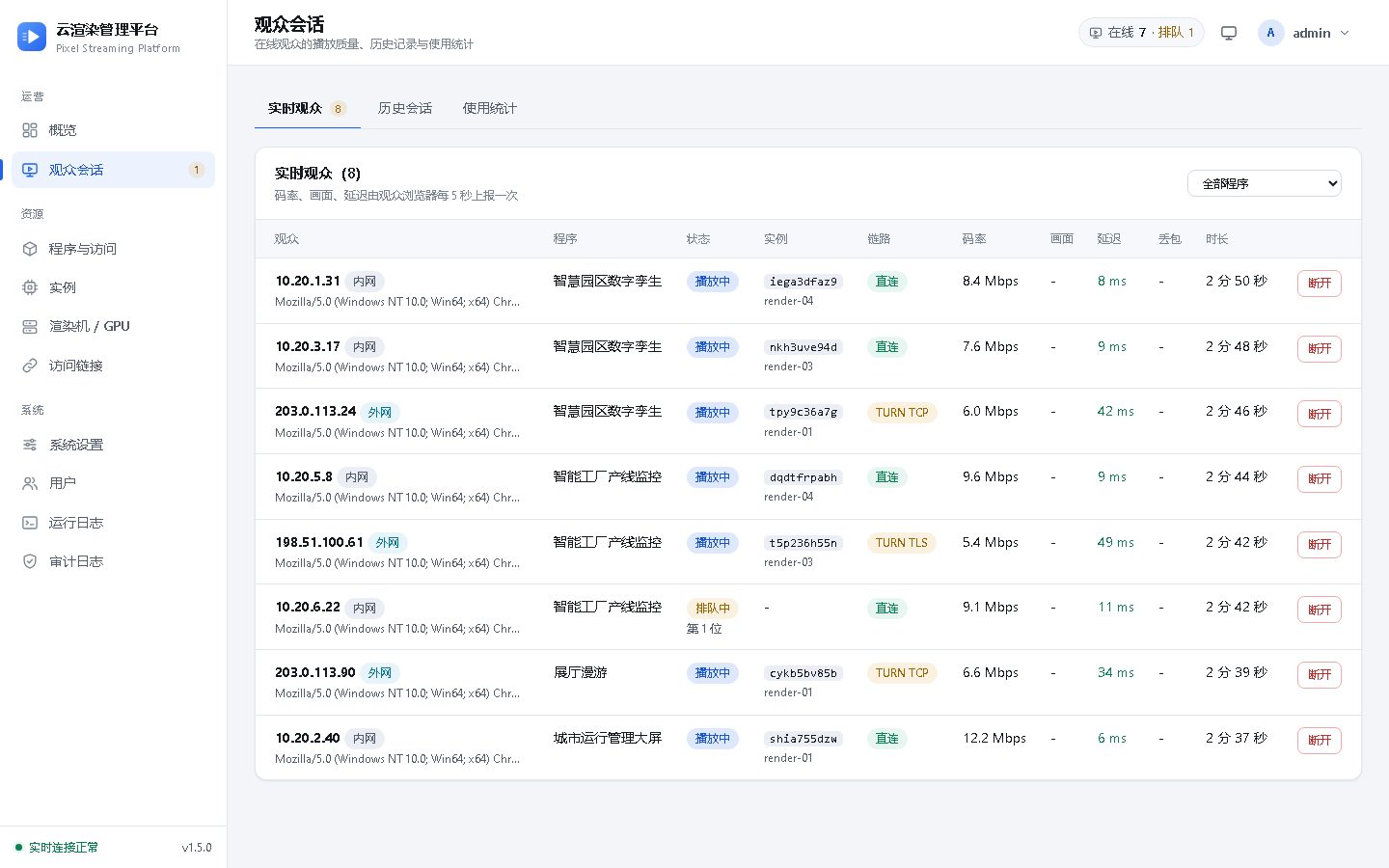
Viewer sessions: LAN viewers connect directly, remote viewers go through TURN over TCP or TLS, with live bitrate and latency
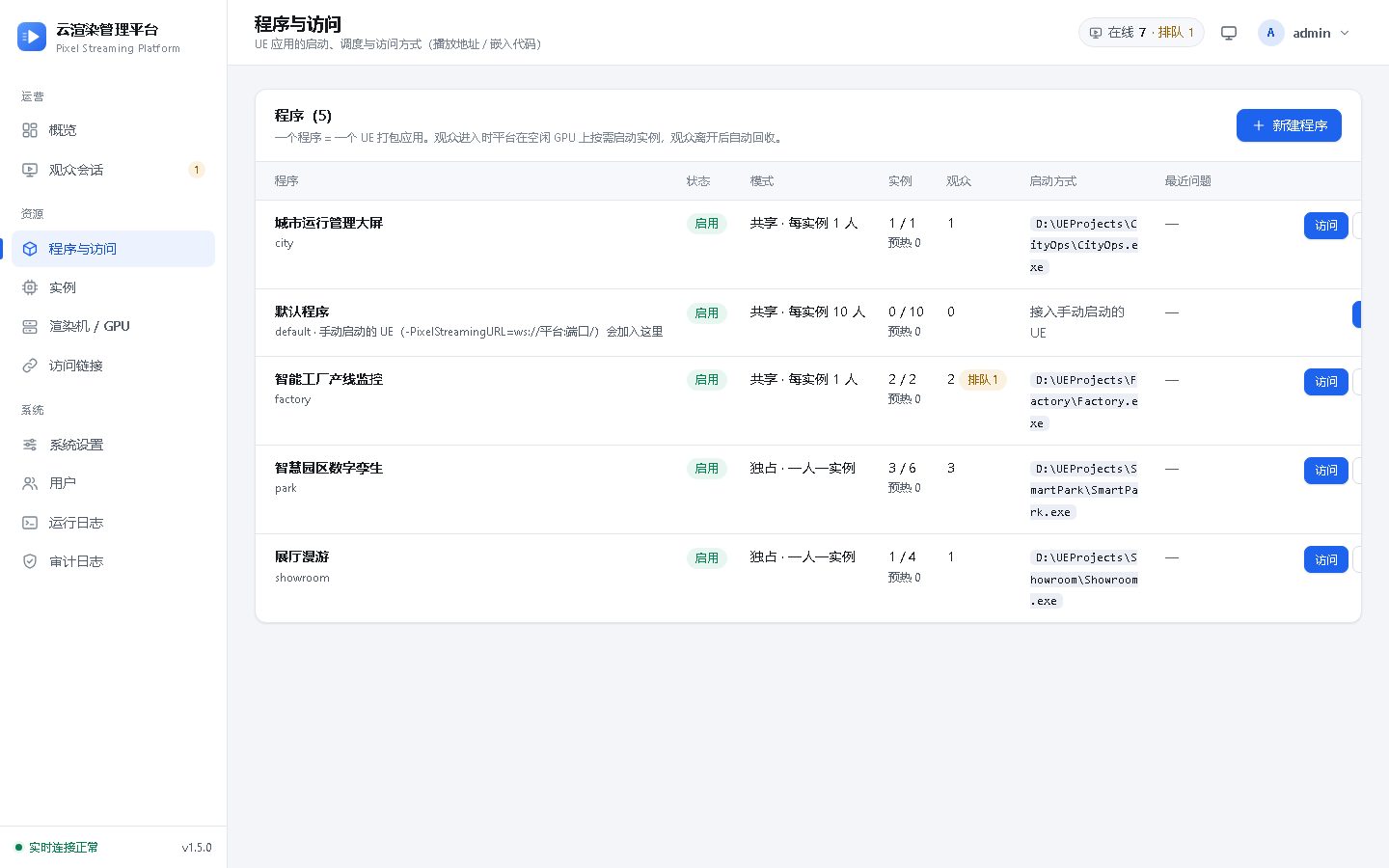
Programs and access: exclusive or shared mode, instance and viewer counts, launch settings
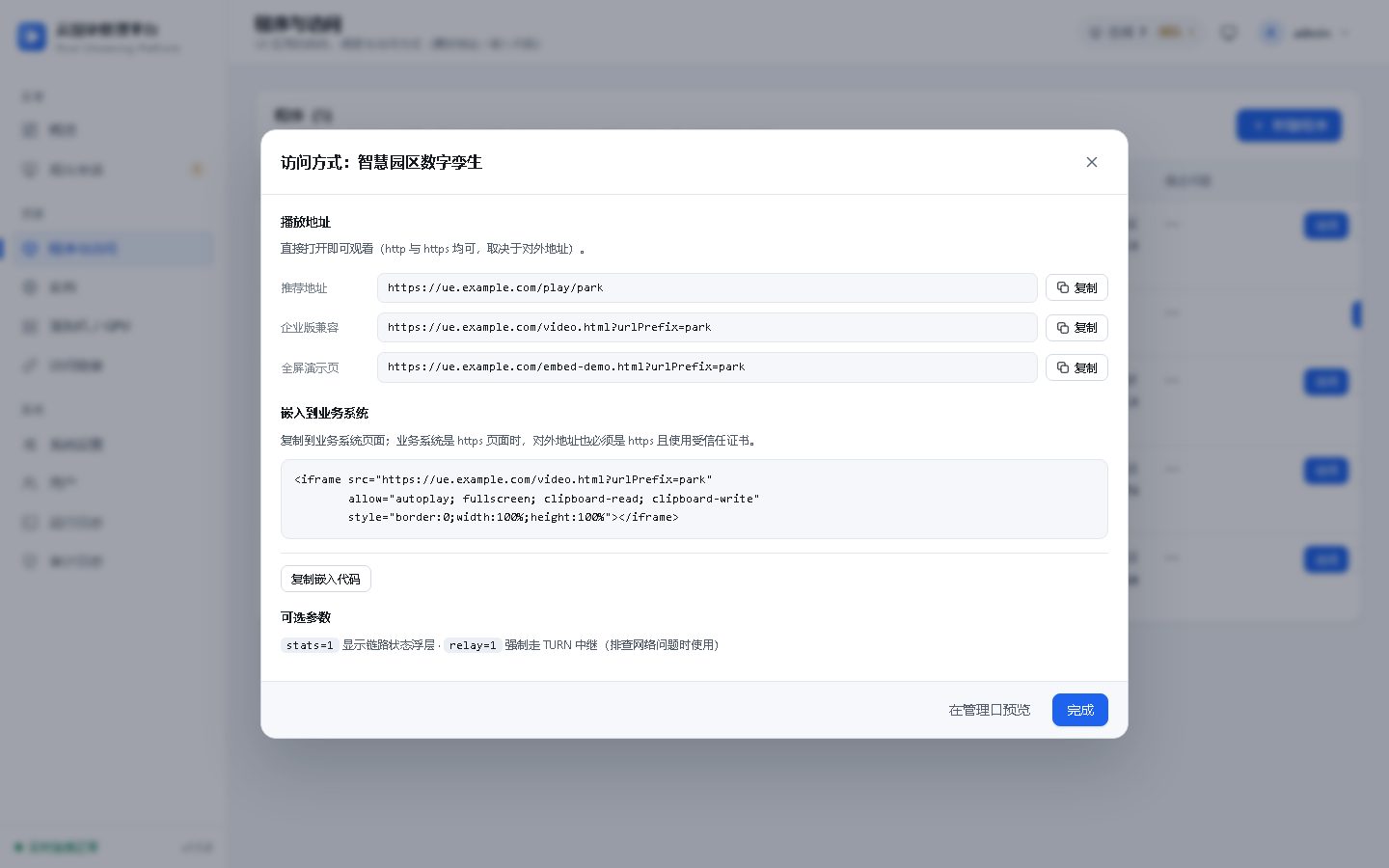
Access: copy the play URL, the legacy-compatible URL and the iframe embed code
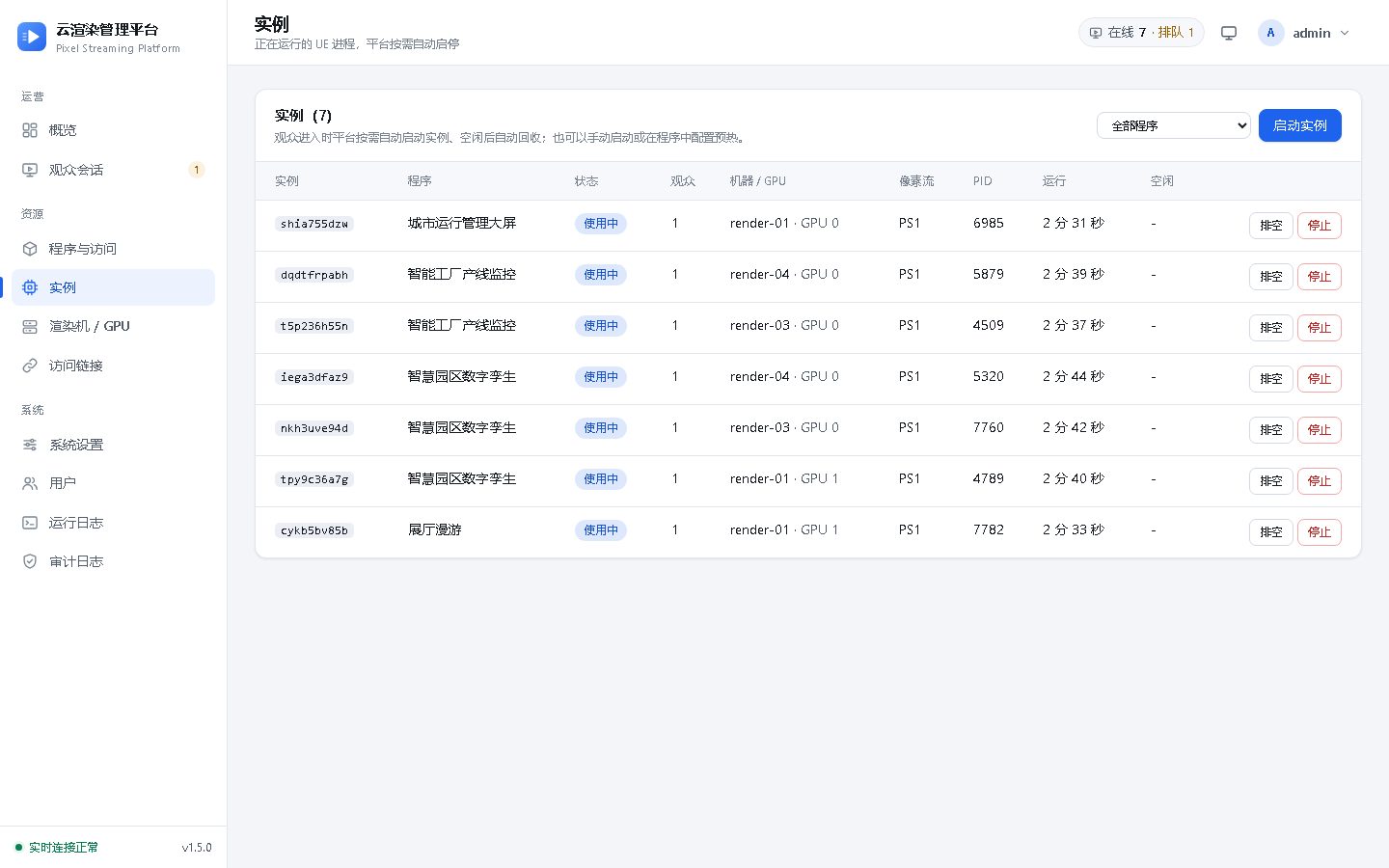
Instances: the machine and GPU of every UE process, viewers and uptime, with drain and stop
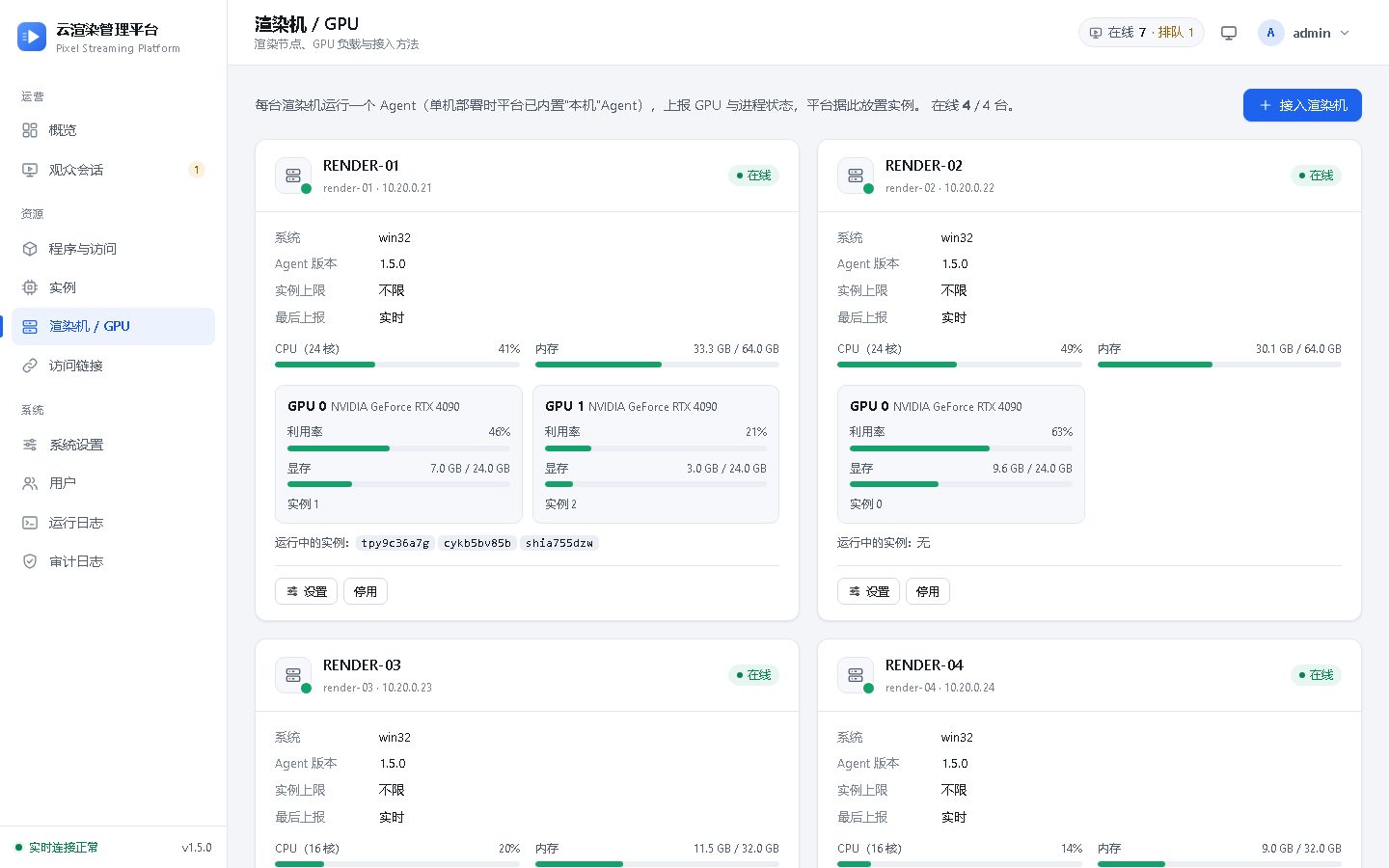
Render machines and GPUs: CPU, memory and per-GPU utilization and memory reported by the agents
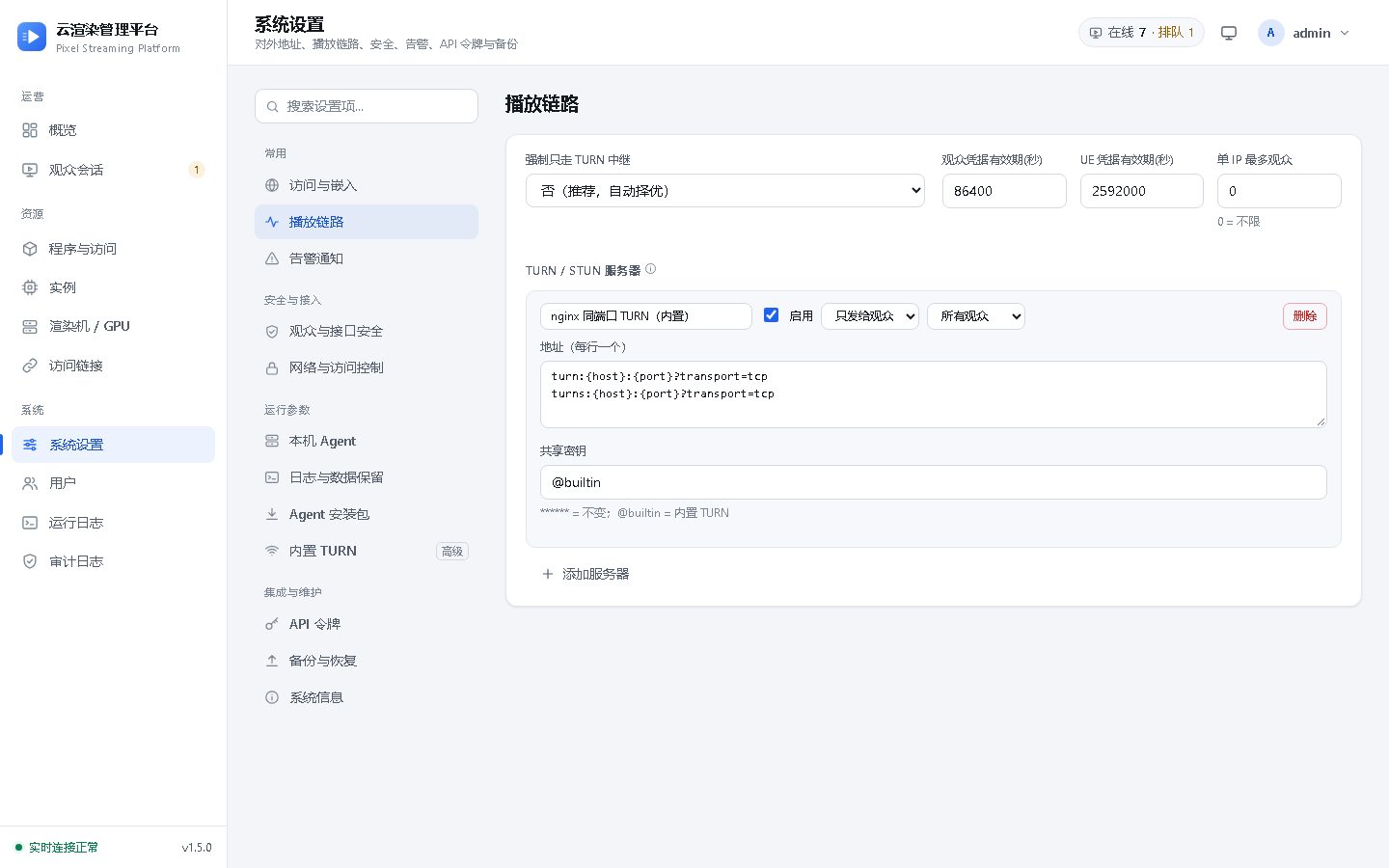
Playback path: forced relay policy and TURN / STUN server settings

The screenshots come from a local demo: render machines, UE instances and viewers are simulated, and every address shown is a private address or a documentation example.

How it works

There is exactly one TCP connection between the browser and the gateway: nginx's stream module separates web pages and wss signaling, TURNS and plain TURN on the same port by whether the connection uses TLS and whether it carries ALPN, and the TURN server on the gateway talks to UE over UDP inside the network. LAN viewers connect to UE directly when ICE picks the best path, so they never use the relay. One program plays three roles: the management platform, the render machine agent and the TURN relay (started by the platform as a child process).

PortWho connectsPurpose
443 (configurable, can be mapped to any external port)BrowsersThe only port that must be public: web pages, viewer signaling and TURN / TURNS
88Operators, UE and agents on the LANConsole, REST API, UE signaling and agent connections, never public
49160-50159/udpUE render machinesTURN relay ports, used only inside the network, no mapping needed

Network scenarios

ScenarioWhat you need to do
LAN viewersNothing; ICE prefers a direct connection to UE
Router port forwarding (for example external 6443 to gateway 443)Nothing; the platform builds TURN addresses from the host and port the browser used
Domain with a trusted certificateInstall the certificate; browsers also use turns:, which passes firewalls that only allow 443 / TLS
Strict viewer networks (TCP 443 only)Turn on forced relay for remote viewers or for everyone
Another HTTP reverse proxy in frontSplit traffic at layer 4 on the front proxy, or forward one extra plain TCP port

Use cases

Digital twins and smart campuses

Campus, factory and city operations apps embedded in business systems, direct on the LAN and relayed through the same port from outside

Showrooms and marketing experiences

Exclusive mode gives each visitor their own instance, with scheduled pre-warming, idle reclaim and VIP links for important guests

Government, enterprise and customer sites

One TCP port and no UDP mapping, with the console and render machines kept internal, which makes security reviews easier

Migrating from the legacy Pixel Streaming enterprise edition

Existing video.html?urlPrefix=... URLs and embeds keep working, and compatible pathfinding and coordinate conversion APIs are available

Deployment

cd deploy && cp .env.example .env    # set the admin password, agent token and TURN secret
mkdir -p certs                        # optional: add certificates for https; without them it runs http-only
docker compose up -d --build          # ready when platform and nginx are healthy
# Console: http://<gateway LAN IP>:88/admin/ (LAN only)   Viewers: http(s)://<domain or IP>/

You can also run the single-file executable for Windows or Linux directly (no Node.js required); when UE runs on the same computer, the platform's built-in local agent is used. To add a render machine, copy the install link under Render machines / GPU in the console. Installers are published on GitHub Releases, and prebuilt images are pushed to Huawei Cloud SWR.

Licensing

UEPS is commercially licensed software. For licensing, deployment services or technical support, contact us or book a demo.

Need commercial support or a private deployment of UEPS?

We offer demos, deployment, vendor technical support and custom development to get you running faster.